Welcome to the SAMSON User Guide#
Use the SAMSON User Guide to find the right page for installing SAMSON, learning the interface, loading structures, visualizing results, modeling systems, analyzing trajectories, scripting workflows, sharing work, or looking up reference details.
Start here if you are new to SAMSON, or use this page as the front door for visualization, modeling, analysis, scripting, collaboration, and help resources.
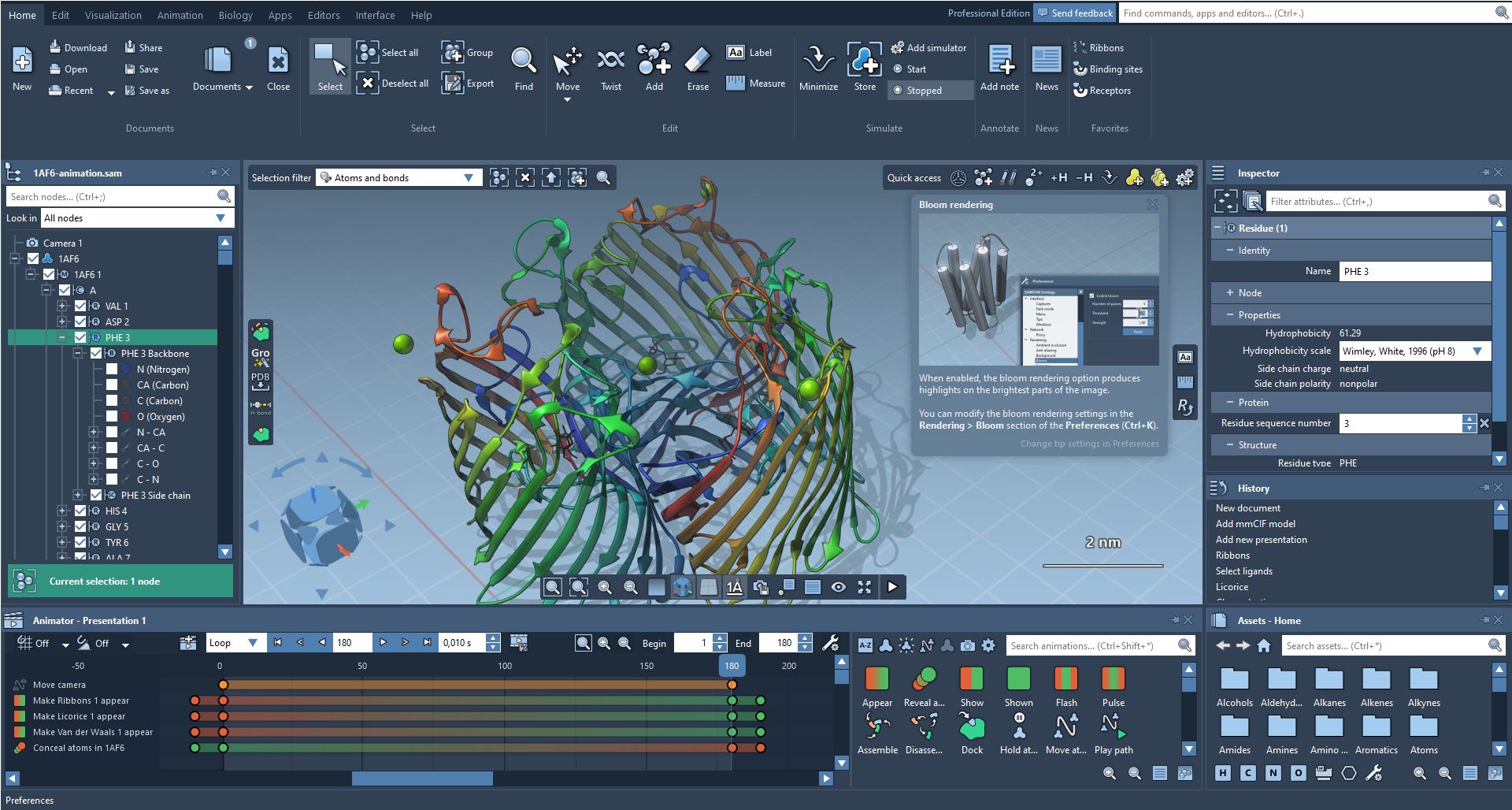
Start here#
- New to SAMSON: start with Getting Started, use the Quick Start Guide for a compact tour, then continue to First look: the interface and Loading molecules.
- Already installed: jump to Start here for the guided onboarding sequence or go directly to the hub that matches your task.
- Need a printable overview: open the Quick Start Guide.
Common goals#
- I want to open or inspect a structure: start with Loading molecules, then use Work with structures.
- I want to build or modify a model: use Build and edit.
- I want a clearer image, figure, or movie: use Visualize and present.
- I want to simulate, analyze a path, or run cloud jobs: use Simulate and analyze.
- I want to automate work or add extensions: use Automate and extend.
- I want a quick answer or reference detail: use Reference and help.
Main routes#
Start here#
- Start here: onboarding path for installation, first use, navigation, and early help choices.
- Getting Started: requirements, installation, first launch, and early extension setup.
- Quick Start Guide: compact web overview of the interface, navigation, selection, documents, simulations, apps, and help routes.
- First look: the interface: quick orientation to the menu, viewport, document view, and core panels.
- Moving around: navigate the viewport, choose a default editor, control cameras, and use clipping.
- Loading molecules: open files, fetch structures, understand documents, and work with shared documents.
- Interactive tutorials: start with guided tutorials built directly into SAMSON.
- SAMSON AI: ask questions, run commands, select nodes, and generate scripts.
Work with structures#
- Work with structures: choose the right path for selection, inspection, measurement, and undo/redo.
- Selecting: choose atoms, residues, molecules, and other nodes for later tasks.
- Inspecting: check and edit properties of selected nodes.
- Measuring: measure distances, angles, dihedrals, and saved measurement labels.
Build and edit#
- Build and edit: move structures, build molecules, create patterns, and relax geometry.
- Building molecules: construct systems from atoms, fragments, and assets.
- Minimizing: relax geometry during or after edits.
Visualize and present#
- Visualize and present: choose the right path for visual models, color, rendering, labels, and movies.
- Visualizing: improve the everyday viewport and apply visual models or presets.
- Presenting and animating: create presentations, animations, and movie exports.
Simulate and analyze#
- Simulate and analyze: route into interactive simulation, trajectory analysis, and cloud workflows.
- Modeling and Simulation: add simulators, run interactive modeling, and create conformations or paths.
- Path Analyzer: inspect trajectories and observables with interactive cards, plots, and dashboards.
- Interaction Designer: inspect protein-ligand interactions.
Share and collaborate#
- Share and collaborate: use the collaboration path for accounts, groups, shared documents, and shared jobs.
- SAMSON Connect: downloads, extensions, shared resources, and account-level workflows.
- Share documents: share documents or download shared documents.
- Collaboration: profiles, groups, permissions, shared documents, and job sharing.
Automate and extend#
- Automate and extend: choose between scripting workflows and extension management.
- Scripting: use the integrated Python environment, templates, and embedded scripts.
- Extending SAMSON: install extensions or explore the SDK path.
Reference and help#
- Reference and help: choose the fastest route to answers, fixes, and deeper references.
- References: browse the reference families for SAMSON features.
- FAQ and Troubleshooting: solve common questions and practical problems quickly.
Related resources#
- Documentation center: browse the wider documentation site and adjacent guides.
- Tutorials: extension and workflow tutorials beyond this guide.
- Python Scripting Guide: API documentation and more scripting examples.
- Developer Guide: SDK and extension-development documentation.
- FAQ and Troubleshooting: find quick answers and fix paths.
Next step#
- Start with Getting Started if you are new to SAMSON.
- Continue with Start here if you want the guided onboarding sequence.
- Jump straight to the hub in Main routes that matches your current task.